SCHEDULING SOFTWARE

Smarter planning for better business management

Our scheduling software helps you bring together your teams, your resources, and your constraints, so you can organise your operations as efficiently as possible. 

Planning pour vos besoins les plus complexes
Planning simplifié
Planning conforme à la législation
Gestion des plannings

Scheduling software for your most complex needs

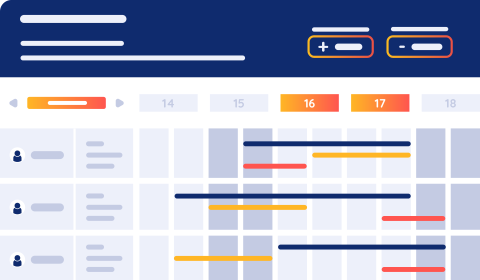
Create schedules aligned with your projected workload and organizational objectives using our scheduling software.


  • Daily, weekly, monthly, or annual schedules
  • Flexible schedule views: adapt the display to work cycles, team rotations or a defined date range.
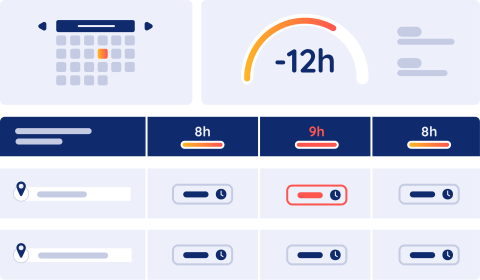
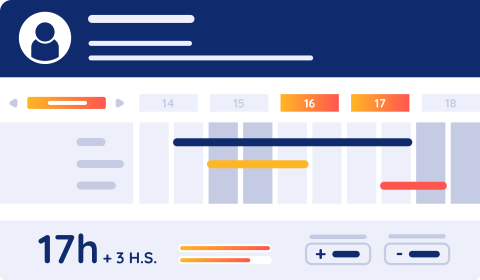
  • Real-time tracking of individual balances (overtime, leave, time off in lieu, etc.)
  • View schedules at a glance or in full detail: time models, shift patterns, allocations, workstation assignments, daily or half-day events, comments, and more
  • Print the schedule exactly as it appears on screen for easy use in the field
  • Consultation et modification de données RH directement depuis le planning pour travailler efficacement (absences, droits personnels, horaires, etc)

Scheduling tailored to every user

Choose a scheduling solution that works for you: from simple views to highly detailed planning, depending on user needs.


  • Complete schedule customization based on user profiles
  • Templates tailored to each user’s role and permissions (HR, team leaders, production managers, etc.)
  • User-friendly interface and guidance: search for schedules within the calendar, dynamic filters, drag-and-drop functionality, customizable shortcuts and colors, simultaneous display of multiple schedules, and more

Scheduling compliant with labor laws

Ensure that your schedules comply with labor laws, collective bargaining agreements, and company policies.


  • Blocking or informational alerts to identify schedule inconsistencies and test alternative scheduling scenarios
  • Alerts for invalid or expired employee credentials (licenses, certifications, etc.).
  • Integrated decision-making indicators for easy monitoring of planned staffing levels across departments, teams, or production units
  • Real-time access to individual employee balances directly within the schedule


Scheduling tailored to your real business needs

Use our planning tools to build schedules that meet the real needs of your business.


  • Import key business data: revenue, number of store transactions, reservation rate, number of checkouts, number of beds, production targets, etc.
  • Manage all staffing needs needs: by time, by quantity, role or required skills assessment
  • Import requirements or create them manually with an input assistant, and generate needs automatically by cycle or data range
  • Visualize coverage levels and identify gaps instantly
  • Receive staffing recommendations to adjust for overstaffing or understaffing


Planning pour vos besoins les plus complexes

Scheduling software for your most complex needs

Create schedules aligned with your projected workload and organizational objectives using our scheduling software.


  • Daily, weekly, monthly, or annual schedules
  • Flexible schedule views: adapt the display to work cycles, team rotations or a defined date range.
  • Real-time tracking of individual balances (overtime, leave, time off in lieu, etc.)
  • View schedules at a glance or in full detail: time models, shift patterns, allocations, workstation assignments, daily or half-day events, comments, and more
  • Print the schedule exactly as it appears on screen for easy use in the field
  • Consultation et modification de données RH directement depuis le planning pour travailler efficacement (absences, droits personnels, horaires, etc)
Planning simplifié

Scheduling tailored to every user

Choose a scheduling solution that works for you: from simple views to highly detailed planning, depending on user needs.


  • Complete schedule customization based on user profiles
  • Templates tailored to each user’s role and permissions (HR, team leaders, production managers, etc.)
  • User-friendly interface and guidance: search for schedules within the calendar, dynamic filters, drag-and-drop functionality, customizable shortcuts and colors, simultaneous display of multiple schedules, and more
Planning conforme à la législation

Scheduling compliant with labor laws

Ensure that your schedules comply with labor laws, collective bargaining agreements, and company policies.


  • Blocking or informational alerts to identify schedule inconsistencies and test alternative scheduling scenarios
  • Alerts for invalid or expired employee credentials (licenses, certifications, etc.).
  • Integrated decision-making indicators for easy monitoring of planned staffing levels across departments, teams, or production units
  • Real-time access to individual employee balances directly within the schedule


Gestion des plannings

Scheduling tailored to your real business needs

Use our planning tools to build schedules that meet the real needs of your business.


  • Import key business data: revenue, number of store transactions, reservation rate, number of checkouts, number of beds, production targets, etc.
  • Manage all staffing needs needs: by time, by quantity, role or required skills assessment
  • Import requirements or create them manually with an input assistant, and generate needs automatically by cycle or data range
  • Visualize coverage levels and identify gaps instantly
  • Receive staffing recommendations to adjust for overstaffing or understaffing


Why choose our scheduling software?

Whether you're an SME, a large company, a healthcare provider, or a public organization, our scheduling software adapts to your needs.


Scheduling as a decision-making tool

Our scheduling software uses all types of HR information from time management, helping managers make informed staffing decisions.

The schedule adapts to you, not the other way around.

Our software provides fully customizable schedules tailored to each user, displaying only the most relevant information while ensuring secure access based on user roles. 

The schedule adapts to you, not the other way around

Our software offers customizable schedules tailored to individual needs, displaying only the information that matters. The schedule's content and display adapt to your usage while ensuring secure access for each user profile.

Frequently Asked Questions

Choosing new scheduling software can often raise questions. Here are answers to help you make an informed decision.

What is scheduling management?

From an HR perspective, scheduling management in a company involves optimizing the organization of human and material resources. Effective scheduling management aims to improve team organization and enhance performance monitoring.

Asys’ HR scheduling software offers numerous features tailored to the industry, company size, and therefore the specific needs of businesses.

Different schedule types include daily, weekly, monthly, individual, or role-based schedules.

What are the benefits of using scheduling software?

Scheduling software offers numerous advantages for all users:

  • Elimination of Excel files or paper schedules

  • Improves communication and information sharing between departments

  • Provides real-time updates for managers and employees.

  • Accessible on all devices

  • User-friendly

  • Offers advanced features tailored to your business’ needs

How do scheduling needs vary by company?

Large international groups, large companies, SMEs, and hospitals all have different needs. These depend on the number of employees, the organizational structure, and the complexity of the regulations.

In sectors with seasonal fluctuations, scheduling is a major concern for HR teams and managers–especially in hospitality, food service, and leisure industries.

Large companies need secure, feature-rich solutions that support collaboration. In contrast, small and medium-sized enterprises (SMEs) prefer simple, easy-to-use tools that keep costs low.

Hospitals have the unique challenge of managing schedules differently for two types of staff: medical and non-medical personnel. This requires very specific scheduling management and functionalities, which our Chronos software provides.

Why use automated scheduling?

Automated scheduling management is part of optimized scheduling. It creates schedules that closely match business needs. Different levels of scheduling exist:

  • Basic schedule: simple hourly planning

  • Constraint-based scheduling: takes into account numerous factors (legal, social, employee skills, etc.) and objectives (commercial, financial, etc.).

  • Optimized scheduling: automatically generates the most efficient schedule while ensuring legal compliance.

How to choose your scheduling software?

To choose your scheduling software, start by clearly defining your needs: number of users, essential features (schedule display, notifications, absence management), and integration with your existing tools.

Consider the software's ability to scale with your company's growth. Ensure it integrates seamlessly with your internal processes to facilitate adoption by your teams. By opting for a secure and reliable solution, you guarantee efficient schedule management while optimizing your employees' daily organization.

No more waiting, your solution is here

Book your demo now and dive into HR management that's truly efficient and truly made for you.